Welcome to the Bigman Geophysical Quick Start Series. This post is part of our ongoing collection of free, field-ready guides designed to get your team up and running without the fluff. We believe in "frictionless training"—proving that when you pair intuitive hardware setups with live-visual software, you drastically reduce ramp-up time and minimize human error. These guides are built to get your crew scanning with confidence from day one, and Bigman Geophysical offers affordable online courses and in-person workshops to expand on the free knowledge base to take your team's field competency to the next level.
High-Precision Concrete Scanning: A Quick Start Guide to the Proceq GP8000 GPR
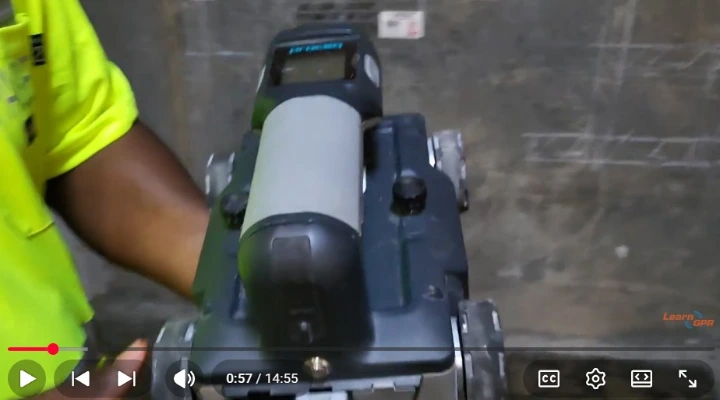
Cutting, coring, or drilling into a concrete slab without knowing what lies inside is one of the riskiest moves you can make on a job site. Hit a post-tension cable or an energized electrical conduit, and you are looking at catastrophic costs, project delays, or severe injuries.
To eliminate that guesswork, structural inspectors turn to the Proceq GP8000 Ground Penetrating Radar (GPR). Powered by Stepped Frequency Continuous Wave (SFCW) technology, this compact powerhouse delivers unmatched clarity across both shallow and deep targets in a single pass.
If you want to get your field technicians rolling with confidence, here is your definitive quick start guide to mastering the Proceq GP8000.
Step 1: Physical Setup and Wireless Connectivity
The GP8000 stands out for its ultra-lightweight, ergonomic design and completely wireless operation, making it incredibly agile in tight spaces or when scanning overhead walls and columns.
Check the Wheels: Ensure the four wheels and the integrated optical distance encoder are clean. The encoder tracks exactly how far the unit has traveled to map targets accurately.
Power Up: Turn on the GP8000 base unit.
Connect Your iPad: Open the Proceq GPR Live app on your iPad. The unit connects securely via Wi-Fi, turning your tablet into a high-definition, real-time data visualizer.
Step 2: The SFCW Advantage and Settings Configuration
With traditional GPR, you have to choose between a high-frequency antenna (good for shallow detail) or a low-frequency antenna (good for deep penetration). The GP8000 uses SFCW (Stepped Frequency Continuous Wave) technology, which continuously sweeps across a massive frequency range (0.2 to 4.0 GHz).
Skip the Frequency Selection: Because of SFCW, you don't need to swap antennas; the system automatically captures shallow rebar and deep structural features simultaneously.
Adjust Dielectric Constants: Input the estimated dielectric value for your concrete (typically between 6 and 8 for standard dry concrete). This calibrates the radar wave velocity so your depth readings are spot-on.
Step 3: Executing the Scan & Utilizing Live Wire Detection
Once your project settings are dialed in, place the unit on your starting mark and begin pushing.
Maintain Consistent Contact: Roll the GP8000 smoothly over the concrete surface. The app will begin drawing the radar profile instantly.
Watch for Hyperbolas: Look for the classic upside-down "U" shapes on your screen to identify rebar, conduits, and voids.
Leverage the Live Wire Detector: One of the most powerful safety features of the GP8000 is its built-in Live Wire Detector. It actively listens for passive 50/60 Hz AC current. If you roll over an energized power line, the app will display a distinct warning indicator directly on the screen, letting you know exactly where not to drill.
Pro-Tip for Complex Rebar: For dense or multi-layered rebar mats, perform a Grid Scan instead of a single line scan. Crossing your paths in an X/Y grid allows the software to stitch together a comprehensive map of the internal layout.
Step 4: Advanced Visualization and Instant Reporting
The real magic happens once the data is collected. The Proceq ecosystem allows you to translate raw radar waves into immediate, clear visuals.
Toggle Live Views: Switch between raw radar data, migrated data (which collapses hyperbolas into clean dots for easier reading), and time-slice views.
3D and Augmented Reality (AR): Use the app's advanced processing to project a 3D view of the internal concrete structure, or utilize AR features to visually overlay the data back onto the slab.
Cloud Reporting: Save your files to the secure cloud and generate a clean, professional PDF field report to instantly share with your client or engineering team before you even pack up your gear.
See the Proceq GP8000 in Action
Ready to see this compact concrete scanner handle a live field setup? Watch the comprehensive video tutorial below by LearnGPR to see a full demonstration of the iPad app integration, SFCW capabilities, and live data collection techniques.