Request A Quote
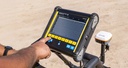
Sensors & Software Inc. from Radiodetection announces the release of new data acquisition software for LMX150™ FINDAR® ground penetrating radar (GPR) systems. The LMX® family of GPR systems was specifically designed to make locating utilities simple. The software is shipped with all new systems and is available free on our website for current LMX150™ FINDAR® owners to download. This free software update illustrates our commitment to continually improving our products to help customers be more effective in the field.
This release provides real-time visualization to improve your locating workflow.
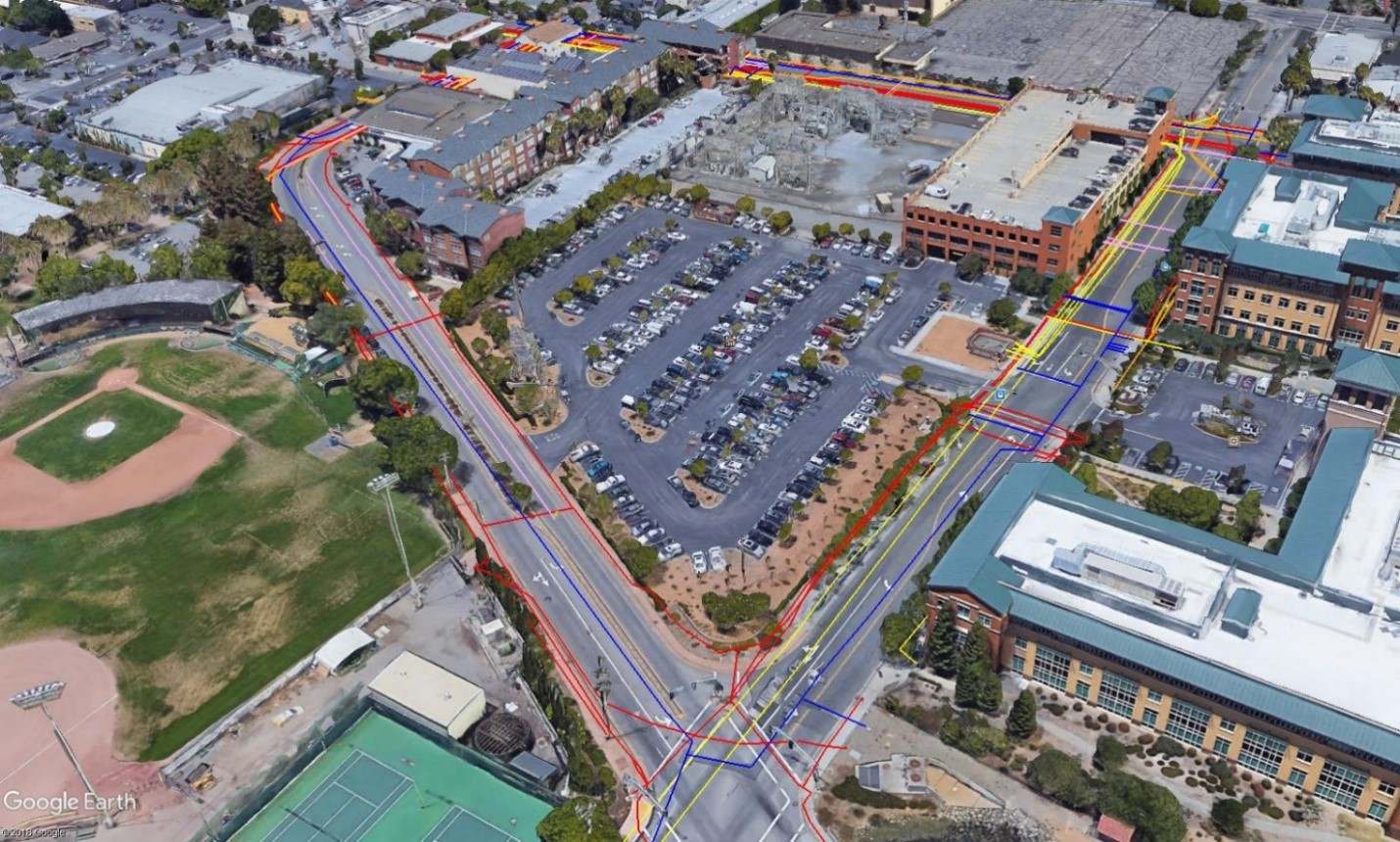
Enhanced MapView – provides a more complete bird’s eye view of your survey site, displaying depth slices from multiple grids simultaneously, interpretations and survey paths from all lines in your project, and a real-time position indicator to always know where you are in the survey area with respect to the targets you’ve found and marked.
SplitView – provides a real-time view of your survey path and your interpretations, improving your locating accuracy and helping you to differentiate utility targets from other targets. By displaying where you are and your interpretations in real time, you can ensure full site coverage and identify utilities with higher accuracy.
These new features on the LMX150 FINDAR unlock a world of possibilities for locating and following the path of utilities, helping you to quickly & accurately mark utilities on your job sites.
The user interface has also been enhanced with additional languages to meet the needs of our global customer base.
LMX150™ FINDAR GPR complements traditional pipe and cable locators and allows you to locate targets below the surface such as:
- Metal utilities, including pipes and cables
- Non-metallic pipes, including PVC and asbestos cement
- Concrete storm and sewer systems
- Utilities where installed tracer wiring has failed
- Underground storage tanks and drainage tiles
- Septic system components
- Fiber optic cables
- Non-utility structures such as vaults, foundation walls and concrete pads
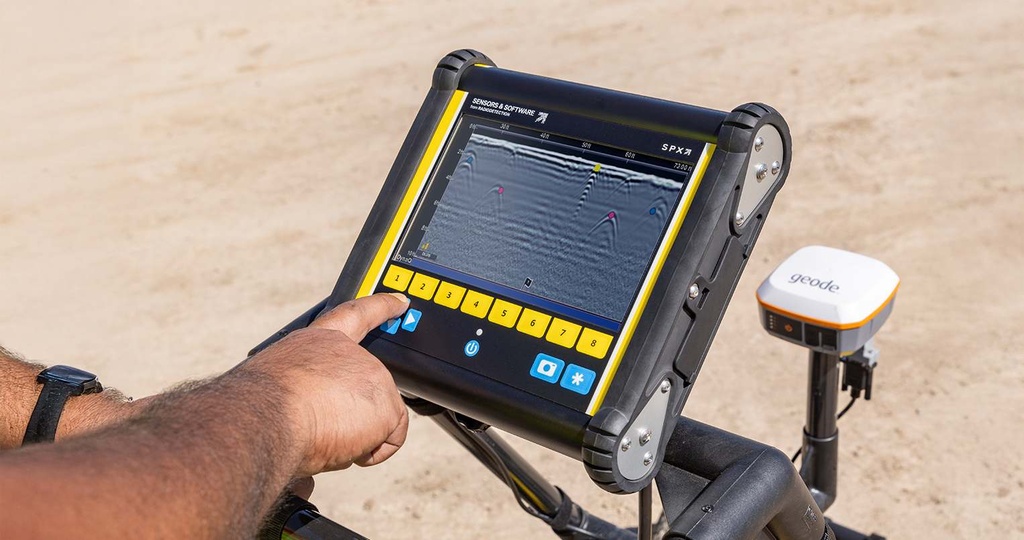
Classify your targets in real time with field interpretations. Simply touch the screen and select from a range of color-coded options.
Dynamic Target Enhancement (DynaT™)

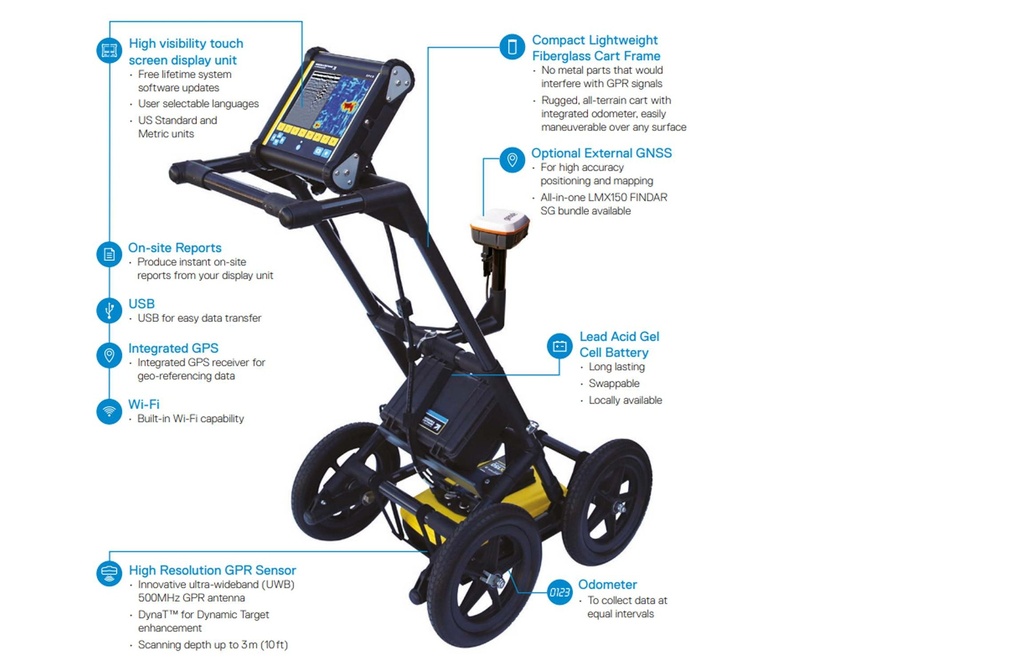
DynaT™ is our patented Dynamic Target enhancement feature that optimizes views of small, medium and large targets. These views can be toggled to reveal additional subsurface features, giving you unprecedented insights and target confidence in the field.
Grid Scan Mode: select from 4 standard grid sizes. The system guides you through the grid setup and collection.

Flexible grid line collection with added Obstacle Avoidance feature
The system guides you through collecting a grid around an obstacle. You can also collect odd shaped grids by just ending lines short or skipping lines altogether.
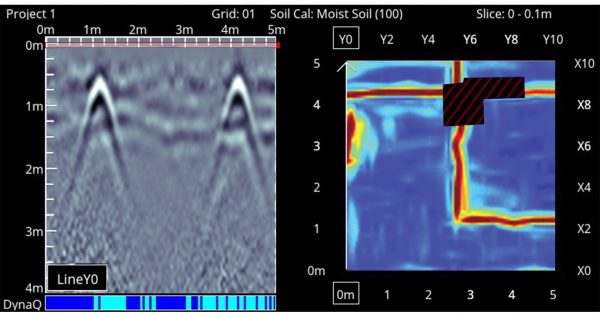
SliceView
Generate depth slices from both complete and incomplete grids in the field at the touch of a button.
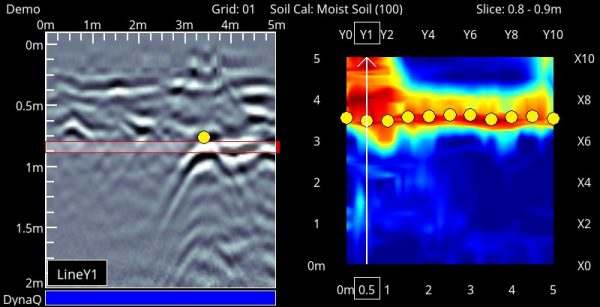
View, save and share your collected grid in the field
View grid lines, flags or field interpretations that were collected in conjunction with the depth slice image on the right. You can then at a glance correlate your interpretations to depth slice images.
Additional Capabilities with External GNSS

SplitView
Combines the benefits of LineView and MapView onto one screen. The MapView side of the screen shows all the GPR data that has been collected and where the LMX150™ is currently located in the survey area while the LineView side displays your cross-section data to quickly see the spatial relationship between targets and determine if a series of hyperbolas are in linear orientation.
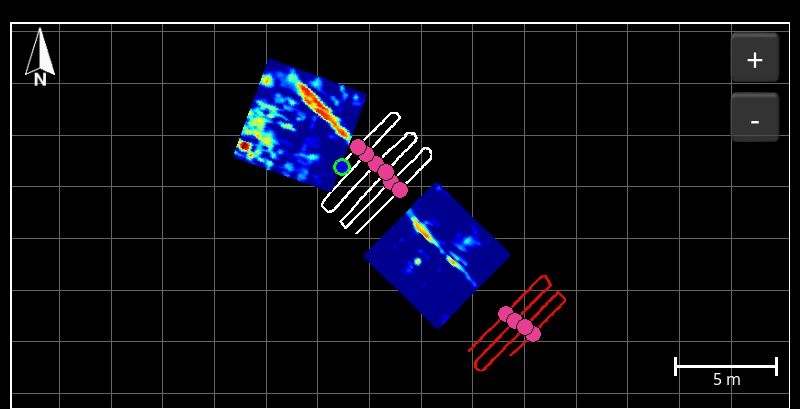
MapView display
Display a powerful and meaningful bird’s eye view of your site map with survey path, depth slices, field interpretations, flags and collected lines in MapView

MapView Layers
Toggle on and off multiple layers to optimize your view to generate a more complete picture of your full site, and capture in screenshots to augment your reports right from the display unit
External GNSS Specifications
Numerous data export possibilities

Easily review and share captured screenshots in Wi-Fi mini reports
The Screenshot Gallery displays a Tile View of screens saved by pressing the Camera button. Select a screenshot to email it in a mini-report.

Share findings quickly directly from the field
Produce instant reports from your display unit that includes screen captures of line, grid and MapView information.

Field Interpretations file (.CSV)
Interpretation information added in the field are automatically saved in a CSV file that contains depth, position and GNSS coordinates.